This is for HVAC contractors whose website gets visitors but not calls. If your traffic looks fine in Google Analytics but your phone stays quiet, this is a diagnostic, not a pep talk. Read it like an audit report.
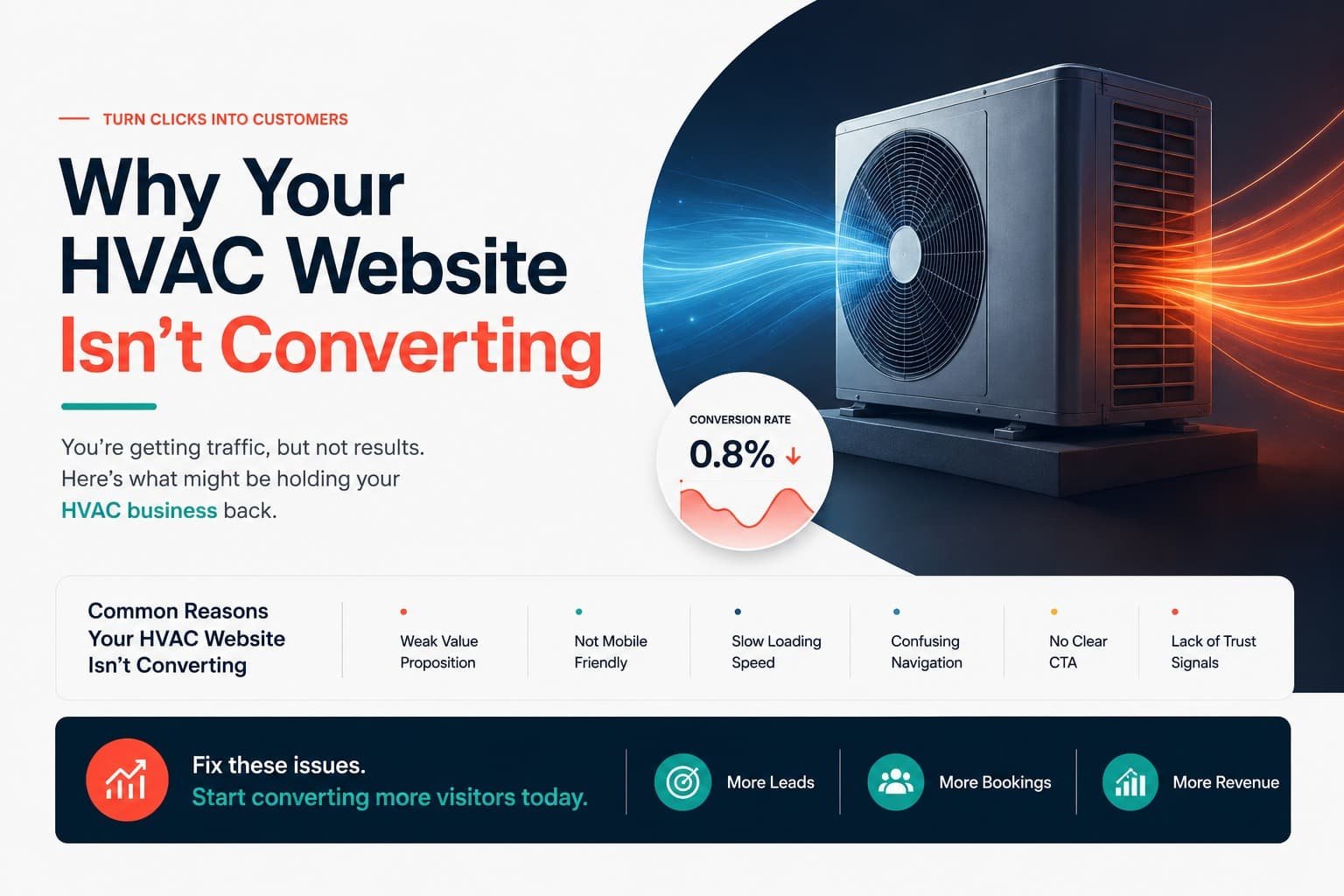
If your site gets traffic but not calls, you don’t have a marketing problem, you have a website problem, and that’s the good news, because website problems are usually cheaper and faster to fix than buying more traffic. Somewhere on the page, something is telling visitors to leave instead of call. Below are the three patterns behind almost every underperforming HVAC site, the 12 specific fixes ranked by impact, and how to test your own site to find out where you stand.
Here’s the math worth sitting with. A commonly cited industry benchmark puts a typical service-business site’s conversion rate around 2% of visitors turning into leads, while a well-built one often reaches 5% or more. On 1,000 monthly visitors, that gap is the difference between 20 leads and 50, roughly 30 extra calls a month from the same traffic you’re already paying for. You’re not missing customers because they aren’t showing up. You’re missing them because something on the page is losing them.
The Three Failure Patterns
Nearly every HVAC site that doesn’t convert is failing at one of three things. As you read the fixes below, notice which bucket yours falls into, since it tells you where to spend your energy.
Pattern 1: It’s not clear. A visitor lands and can’t instantly tell what you do, where you work, or whether you can help today. Confusion is a conversion killer. A confused homeowner hits the back button and calls the next result.
Pattern 2: It’s not trusted. You’re asking someone to let a stranger into their home. If the site doesn’t prove you’re legitimate, licensed, and reviewed fast, they won’t take the risk.
Pattern 3: It’s not easy. Even a clear, trusted site loses people if contacting you takes effort. Every extra tap, scroll, or form field is a door someone can walk out of.
The 12 Fixes, Ranked by Impact
1. Your phone number is buried or not clickable
This is the most common and most expensive mistake, which is why it’s first. Your phone number should be visible in the header on every page, and on mobile it must be tappable, one tap to dial, no copying digits into a keypad.
Quick test: open your site on your phone. Can you call in one tap from the first screen, without scrolling? If not, this is costing you calls right now.
2. Your hero section doesn’t say what, where, and how fast
A homeowner decides whether to stay within a few seconds, so your headline has to answer three things instantly: what you do, where you do it, and how quickly. If it’s something vague like “Comfort You Can Count On,” you’ve wasted the most valuable space on the page. “Same-Day AC Repair Across [City], Licensed & Insured, Available 24/7” does more work than any tagline.
Quick test: show your homepage to someone for five seconds, then hide it. Can they tell you what you do and where? If not, the hero’s failing.
3. Your call-to-action is weak or missing
Visitors shouldn’t have to guess the next step. Every key section needs one obvious action, “Request Service,” “Book Online,” “Get a Free Estimate,” in a button that stands out from everything around it. Vague links like “Learn More” leave people drifting instead of converting.
Quick test: glance at each screen of your site. Is there always a clear, obvious next action? Or do some sections just end?
4. There are no trust signals above the fold
Homeowners actively look for reasons not to call you. If they have to scroll to an About page to learn you’re licensed and insured, most won’t bother. A simple trust bar right below the hero, licensed and insured, your Google rating, years in business, certifications, removes those objections before they form.
Quick test: without scrolling, can a visitor see proof you’re legitimate and reviewed? If your first trust signal is three scrolls down, move it up.
5. Your site is slow, especially on mobile
Speed is invisible when it’s good and fatal when it’s bad. Every extra second of load time bleeds conversions, and it hurts your Google ranking on top of it. The usual culprits are giant unoptimized images and autoplay background videos that choke on cellular data.
Quick test: run your homepage through Google’s PageSpeed Insights and check the mobile score, then load it on your phone using cellular data, not office WiFi. If it crawls, that’s leads walking.
6. The mobile experience is an afterthought
A majority of your visitors are on a phone, often standing next to a broken unit. If your site was designed for desktop and shrunk for mobile, it probably shows tiny buttons, hard-to-read text, and no sticky call button following them down the page. Mobile isn’t the secondary experience here. It’s the main one.
Quick test: use your own site on your phone for two minutes. Every point of friction you feel, a stressed-out homeowner feels worse.
7. Your contact form asks for too much
Every field you add reduces the number of people who finish. Nobody whose AC just died on a 95-degree Saturday wants to fill out a twelve-field form. Ask for name, phone, email, service needed, and preferred time, that’s it. Collect everything else on the call.
Quick test: count your form fields. More than five or six? Cut it down and watch completions rise. This is one of the fastest wins on the list.
8. You have little or no social proof
You can call yourself reliable all day, but it means far more when dozens of customers say it for you. If your reviews are hidden at the bottom, generic, or missing, you’re leaving conversions on the table. Pull your best, most specific Google reviews, the ones with real stories, and place them near your calls-to-action.
Quick test: are real reviews visible near the points where you ask people to act? Or are they tucked away where nobody scrolls?
9. Everything is crammed into one “Services” page
A single page listing AC repair next to duct cleaning next to commercial installs serves nobody. Someone who needs furnace repair has to wade through unrelated services to find it, and Google can’t rank one page for a dozen different things. Break services into dedicated pages, each focused on one job.
Quick test: search your own site the way a customer would. Is there a clean, focused page for your most-requested service? Or is it a paragraph inside a wall of text?
10. There’s no local specificity
“We serve the surrounding area” tells a homeowner nothing and tells Google even less. If your site doesn’t clearly name the cities and neighborhoods you cover, ideally with dedicated service-area pages, you’re invisible to both the customer checking if you come to them and the search engine deciding whether to show you.
Quick test: can a visitor tell in five seconds whether you serve their town? Is your service area named specifically, or vaguely gestured at?
11. The copy is about you, not the customer
“Founded in 1998, our mission, our vision” – your story matters, but it’s not why someone landed on your site. They have one question: can you solve my problem? Lead with the customer’s need and the benefit to them, and save the company history for lower down the About page.
Quick test: read your homepage headline and first paragraph. Are they about the customer’s problem, or about you?
12. There’s no urgency or emergency handling
A homeowner with no heat in January is your highest-intent visitor, and many HVAC sites treat them exactly like everyone else. If you offer emergency service, make it loud and obvious: a banner, a response-time promise, a call button that’s always one tap away. Don’t make your most valuable visitor dig for it.
Quick test: if you offer emergency service, is it impossible to miss? Or buried in a services dropdown?
How to Actually Test Your Site
You don’t need expensive tools to diagnose most of this. Three methods catch the vast majority of problems.
The five-second test: show your homepage to someone who’s never seen it, for five seconds, then take it away. Ask what you do, where, and how to contact you. If they can’t answer, your clarity is broken, and that’s Pattern 1.
The over-the-shoulder test: hand your phone to a friend or family member and ask them to “book an AC repair” without any help. Watch silently. Every moment they hesitate, squint, or backtrack is a conversion leak you just found for free.
The numbers test: in your analytics, look at how many people land on your contact or booking page versus how many actually submit. A big gap means form friction or a trust problem at the finish line. Check your mobile bounce rate against desktop too. If mobile is dramatically worse, Pattern 3 is your issue.
When to Patch vs. When to Rebuild
Not every site needs to be torn down, and knowing the difference saves you from an unnecessary rebuild or a patch job that never fixes the real problem.
Patch it if the bones are good, the site loads reasonably fast, it’s genuinely mobile-friendly, and the problems are things like a buried phone number, a weak hero, a bloated form, or missing trust signals. Those are surface fixes. You can knock out most of the 12 above without a rebuild and see real improvement.
Rebuild it if the foundation is the problem: it’s slow no matter what you do, it wasn’t built mobile-first, it has no room for dedicated service or service-area pages, or it’s on a platform you can’t properly optimize. At that point, patching is like putting a new compressor in a unit with a cracked coil. You’re better off starting clean.
A rough rule: if you’re fixing more than half this list and the site is slow or not truly mobile-first, that’s a rebuild. If it’s three or four surface issues on an otherwise solid site, patch and move on.
A Real Before-and-After
[NEEDS REAL DATA: this section should walk through an actual client audit and result, with the client’s permission, once real before-and-after numbers are available. Don’t publish placeholder or invented figures here.]
Frequently Asked Questions
Why isn't my HVAC website converting even though it gets traffic?
Because conversion and traffic are different problems. Traffic is people arriving; conversion is what the page does with them. The usual culprits are a buried phone number, an unclear hero, slow load times, a long contact form, or missing trust signals, all fixable without touching your traffic.